 Real-time log tailing
See your logs the instant they happen.
A fast, modern Windows log viewer built on .NET 10 / WPF. Live tail, regex highlight rules, split-pane comparison and context preview — in 16 languages.
Every download is verifiable
The Standalone and Portable downloads are digitally signed and timestamped. Every release also publishes a SHA-256 in version.json, and the app checks it before installing any update over HTTPS. Tampered binaries are rejected automatically.
 And you don’t have to take our word for it: Softpedia Labs tested it independently and awarded it 100% Clean — no spyware, adware or viruses.
Everything you wish tail -f had.
Not just .log — any text log
Linux and Unix logs come in every shape: syslog, messages, a rotated auth.log.1, files with no extension at all. Give it file patterns and it follows every text file that matches — binary files are skipped automatically.
Real-time log tailing
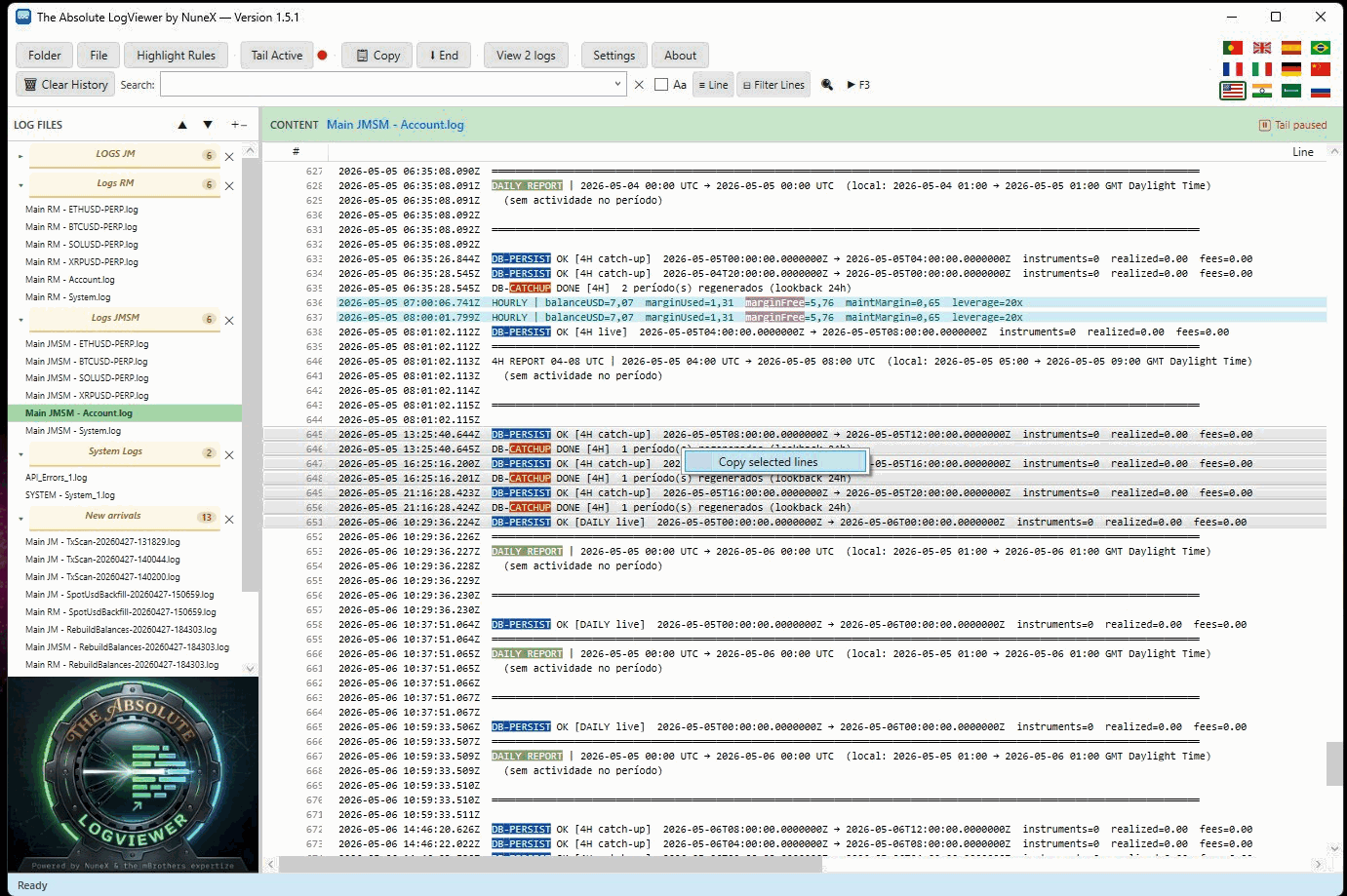
Follow log files live — new lines stream in instantly. Scroll up to pause, hit the bottom to resume.
Independent tabs
Each tab is its own workspace — its own set of logs, split, search and ordering. Watch separate projects at once without mixing them.
Split-pane compare
Two independent panes, two files side by side — each with its own search and tail.
Tail .csv in columns
Also .csv/.tsv, but as a table — the file's header becomes the column titles and new rows appear live. Comma, semicolon or tab, auto-detected.
Regex highlight rules
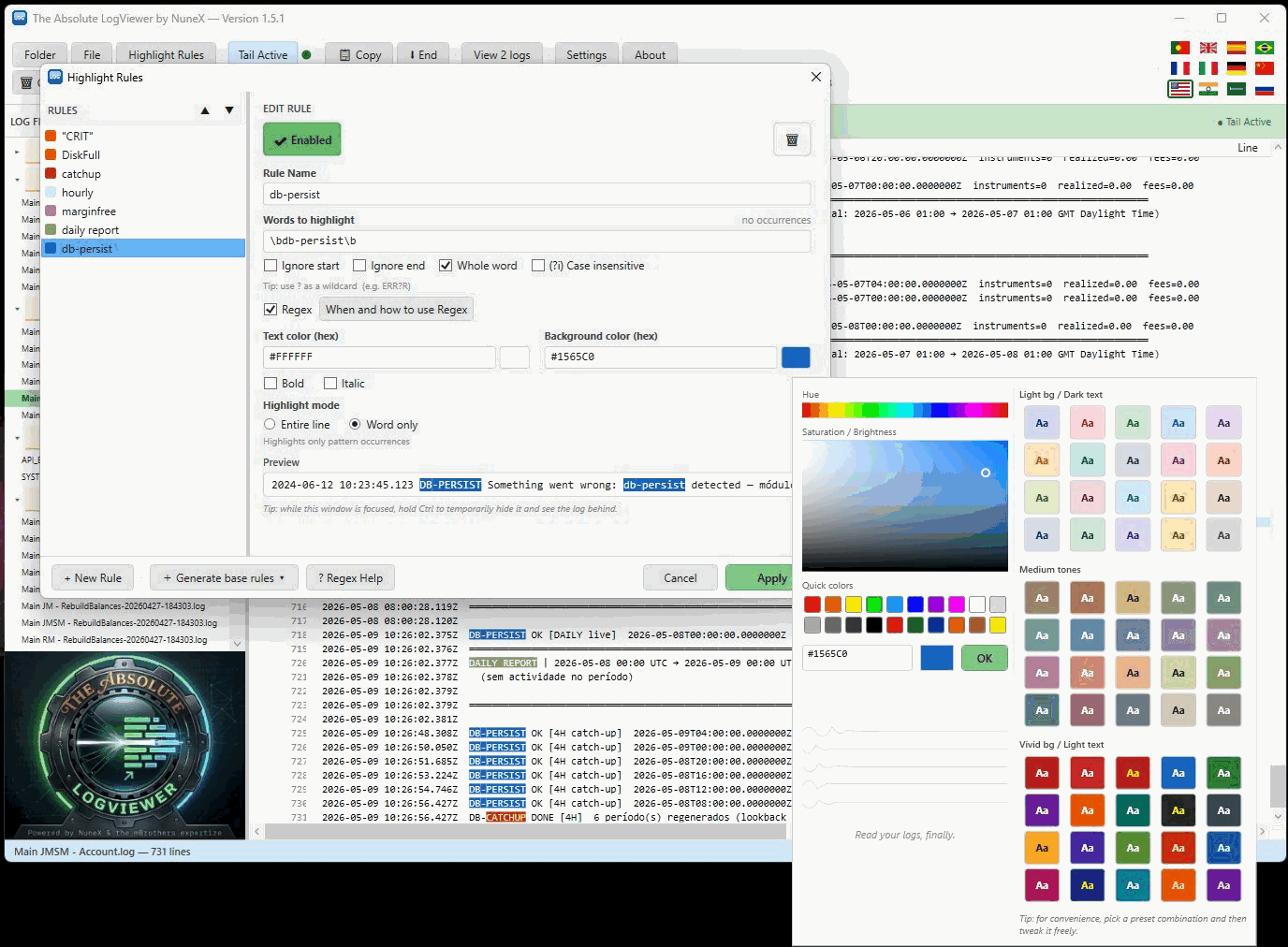
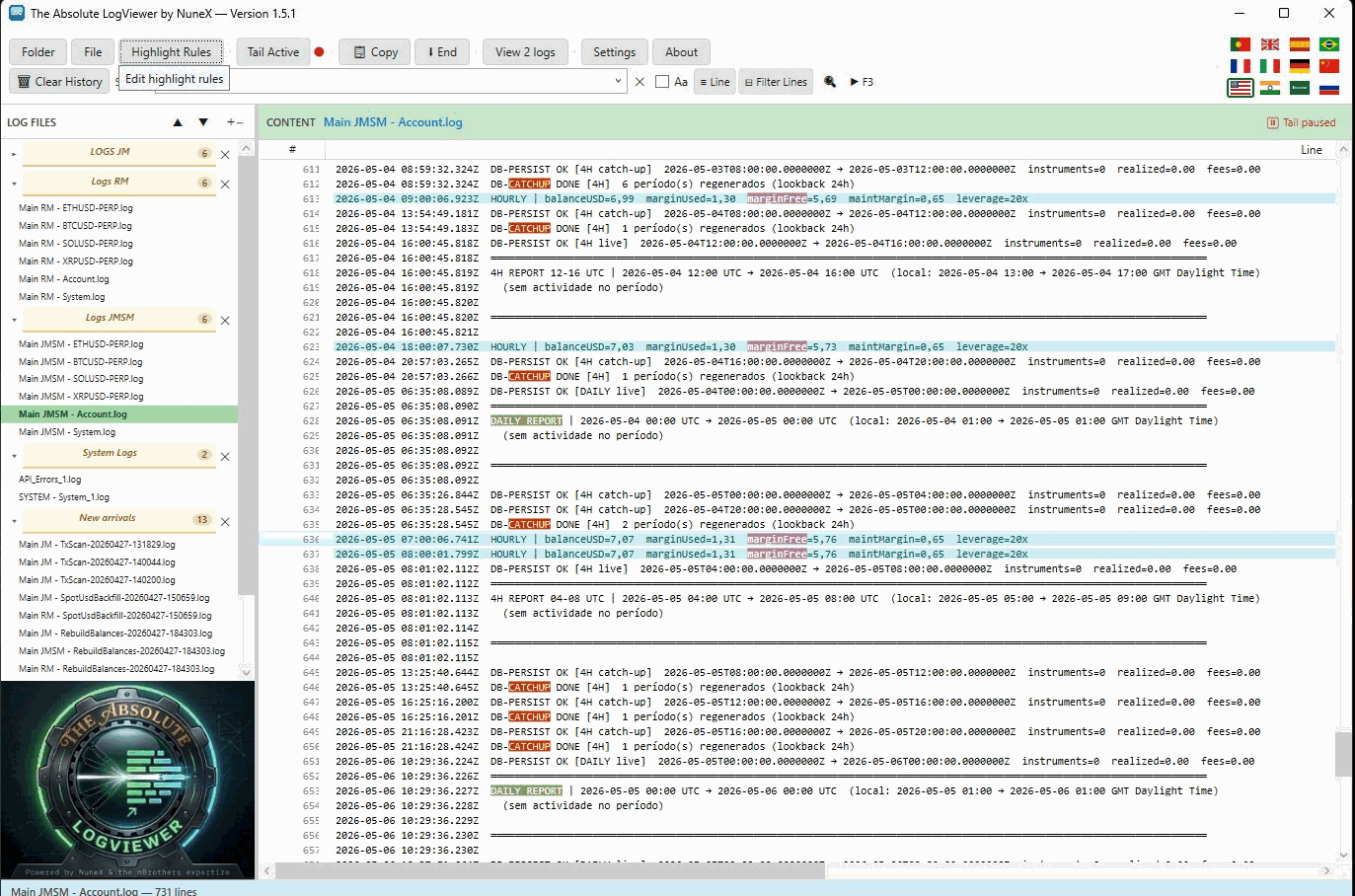
Colour whole lines or single words. Word-boundary helpers and a live preview.
Context preview
Hover a filtered line to peek the surrounding lines from the full, unfiltered file.
Built-in auto-update
Standalone & Portable update themselves — integrity-checked over HTTPS.
16 languages
Fully localised UI with instant switching — no restart needed.
Clean, dense, keyboard-friendly.
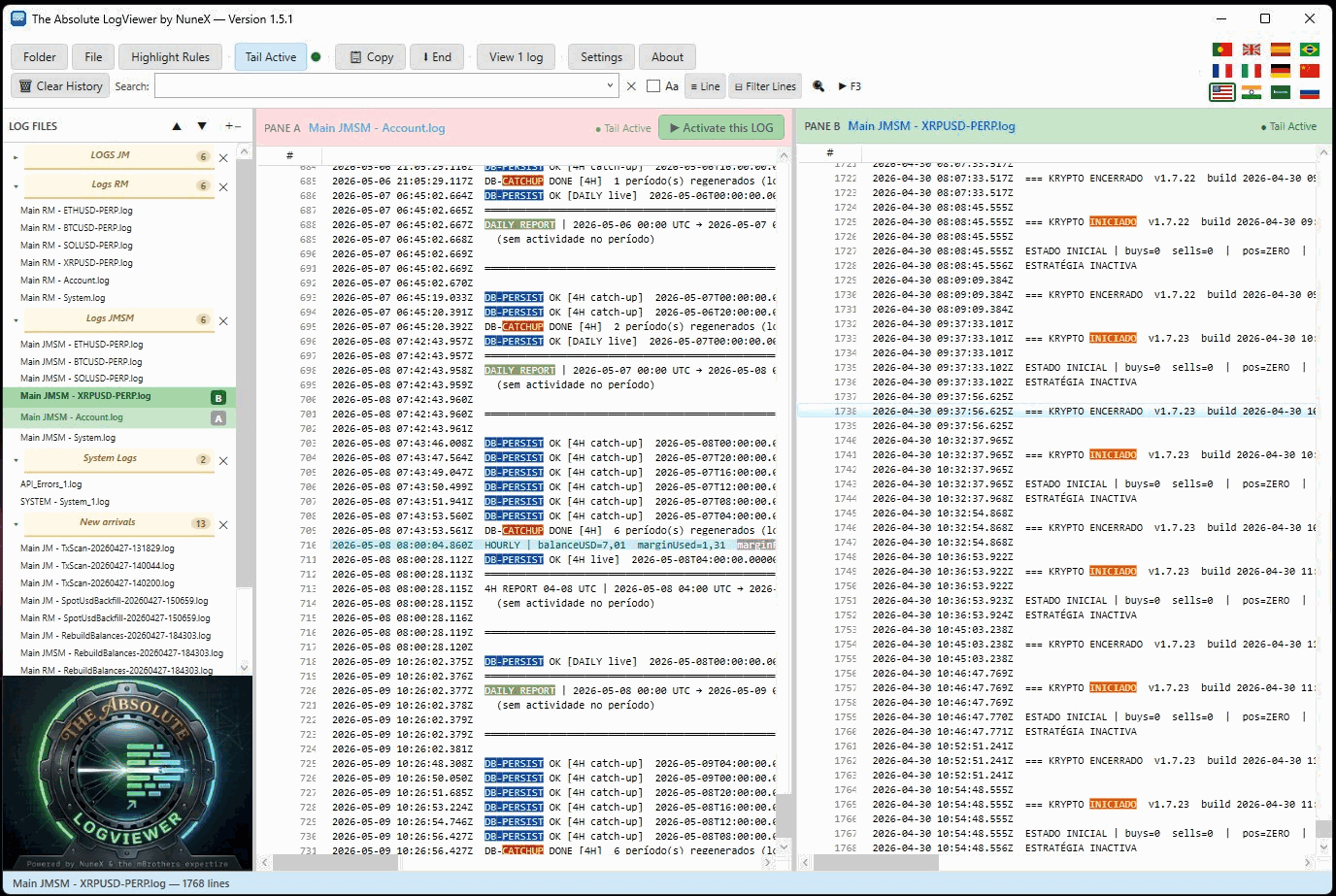
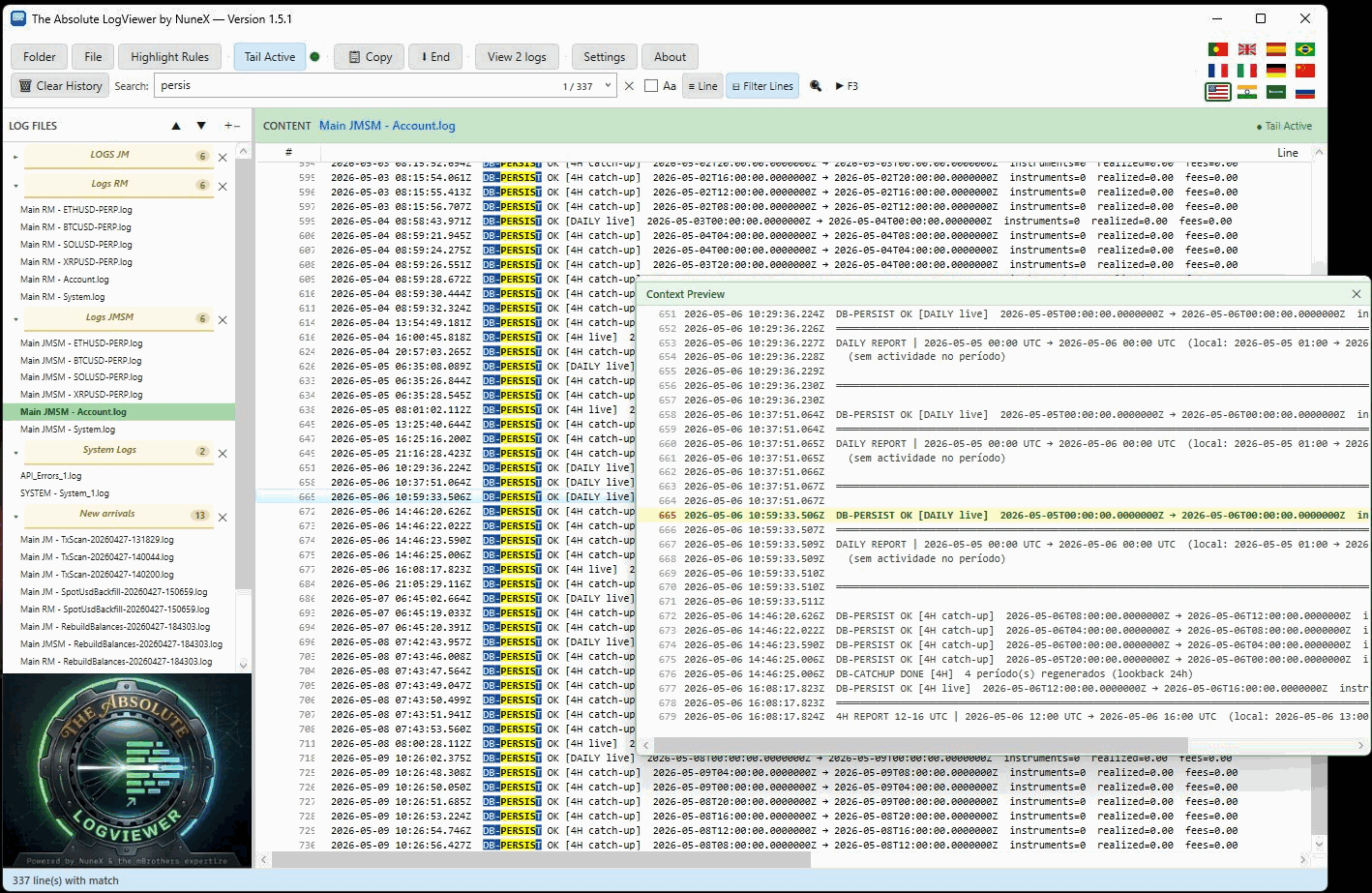
16 languages, switched live.
The whole interface, not just a few strings — change language any time without restarting.
How it works
Install or unzip
One-click ClickOnce, a tiny standalone .exe, or a self-contained portable build.
Point it at your logs
Add folders or single files. It picks up the logs that match your file patterns, skips binaries and watches them.
Watch them live
Lines tail in real time with your highlight rules applied. Split, search, filter.
Pick your edition
Three ways to run it — all free, all the same app.
ClickOnce
One-click install that keeps itself up to date automatically. Best for most people.
Standalone
A single ~2.5 MB .exe. Needs the .NET 10 Desktop Runtime installed.
Portable
Self-contained ~160 MB .exe. No runtime, no install — runs from anywhere.
The Standalone and Portable downloads are digitally signed — Windows shows the publisher’s name. The signature is recent, so your browser or Windows may still ask you to confirm: click More info → Run anyway. If you like, check the SHA-256 published with every release.
Questions
Is it really free?
Yes — freeware, for personal and commercial use. No account and no cookies; the app only sends anonymous install and update stats, which you can turn off.
Windows asks me to confirm when opening. Why?
The signature is recent, and Windows takes a while to recognise a new publisher — it is not a problem with the file. Click More info → Run anyway. The ClickOnce install keeps its own signature and may still show “Unknown publisher”. Every release publishes a SHA-256 you can verify.
Which edition should I pick?
ClickOnce if you want effortless auto-updates (needs Microsoft Edge). Standalone if you already have the .NET 10 runtime. Portable if you want zero install.
Where’s the source code?
The app is freeware and the source is private, but bug reports and feature requests are welcome on GitHub.